

Navigate through these sets of tutorials if you are learning about visual and graphics software for the first time or if you just need to enhance your skillset.
Created in 1988, Adobe Photoshop has become one of the most revered pieces of software for editing and manipulating digital photos. In fact it has become so iconic—not only for photographers, graphic designers , and web designers—its name (photoshopped) has entered into the English lexicon to describe any digitally altered photo or image.
Photoshop can be used for basic photo editing, including cropping out the edges of images that the editor finds undesirable. But it also can be used for altering digital images in ways that are often realistic and uncanny. You can use the Sky Replacement feature to swap out a glum, overcast sky for a clear and sunny one. Or you can use the Smart Portrait filter to alter someone’s expression. Swap a scowl for a smile. Erase acne and blemishes—or even larger objects such as clowns or wolves. You can also colorize those old dour black-and-white family photos.
Photoshop is now part of the Adobe Creative Cloud, and it is available for Macs, PCs, and many Apple devices, such as the iPhone and the iPad. This software is by subscription only.
Adobe Illustrator is an extraordinarily popular companion to Adobe Photoshop. Both are part of the Adobe Creative Cloud. Although these two programs share similar features, such as drawing, painting, reshaping, slicing, and cutting, Illustrator is a vector graphics editor. Simply put, Illustrator uses lines and curves in construction of its images while Photoshop, a raster graphics editor, uses tiny squares (or pixels). Zooming in and out of an image created by Illustrator doesn’t cause it to lose any quality.
According to PC Magazine, "Adobe Illustrator has reigned over vector drawing applications since its release in 1987, quickly becoming a key member of Adobe’s trifecta of industry-standard graphic design and illustration tools, alongside Photoshop and InDesign."
First released in 1995, GIMP (GNU Image Manipulation Program) is an open-source raster graphics editor that provides a free alternative to other subscription-based graphics tools such as Photoshop. It features many of the basic tools found in Photoshop for manipulating, retouching, and editing pictures and images.
GIMP is currently available for Linux, macOS, and Microsoft Windows. However, it is not available for Apple products such as iPhones and iPads that run on iOS.
What is it? Raster graphics are simply computer images that are composed from numerous tiny colored squares, otherwise known as pixels. Vector graphics, which are built from other geometric shapes, including lines and curves, are typically utilized to produce higher quality and resolution with images.
Initially released in 2013, Photopea is another free—albeit ad-supported—alternative to Adobe Photoshop that can be used for web design, illustration, the editing of images and pictures, and the conversion from one file format to another, such as JPEGs, GIFs, and PNGs.
Although this graphics and photo editor has fewer features than Photoshop, Photopea boasts a widespread reputation for its user-friendliness, which makes it a great starter software for dabblers and newbies.
It is a web-based program, but you can download and install it as an application to your device from certain browsers.
Pro tip: The paid premium option removes advertising and increases the amount of times you can utilize the undo option.
Krita is free open-source software for painting, animating, sketching, drawing, and editing illustrations. This popular raster graphics editor allows you to render different types of painting techniques into digital art, including charcoals, pastels, chalks, oil paints and watercolor, among others. Krita also boasts customizable pens, brushes, and pencils.
And with Krita, comic-book artists can also create their books and strips with a variety of panels and bubble templates.
The Electric Zine Maker is a digital zine creation freeware application created by independent developer, Natalie Lawhead. The application makes digital zine creation simple and keeps collaboration into mind, accounting for the process and not just the product.
The application's tools include different drawing implementation options, the ability to import an image and manipulate it, a text tool, and effects options. The Electric Zine Maker also includes folding instructions for the different available templates. It also gives the option to export a project for printing.
The freeware is available for download on both macOS and Windows.
Fun Fact: The application is currently in open beta test mode, and Lawhead has pending developments and additions in the works for the future. Because it is a work in progress, Lawhead is very open to feedback, so if you have anything to share, you can reach out to them with critiques or ideas.
The 3rd generation Mac Pro Tower 3.5 8 core intel Xeon w/ processor is a high end, state-of-the-art desktop designed by Apple containing a new thermal architecture with three impeller fans to keep the machine continuously running at optimal performance levels.
This machine comes with a magic mouse and trackpad and contains 96 GB of Ram as well as 1 TB of storage space.
The Mac Pro Tower is also equipped with a custom add on Apple Afterburner Card for high end video quality that supports up to 8K resolution. It's compact, sleek stainless steel frame makes it durable and resistant to external damage.
Wacom has been a global leader in designing and creating drawing tablets for over 40 years now.
Wacom tablet functionality was initially used in 1992 in the screen of the Compaq Concerto computer.
The Wacom Cintiq 22:1 Interactive Display Art Tablet is a 21.5 inch display screen and comes with a rotating stand and high response pro pen. The pen features 8192 levels of pressure sensitivity and the screen resolution is in 1920x1080 high definition. For user ease and functionality, this digital tablet also includes a multitude of express keys, which allow for quicker command execution.
The Wacom PTH660 Medium Drawing Tablet is a blue tooth graphics drawing tablet that is compatible with both Mac Os and Windows systems.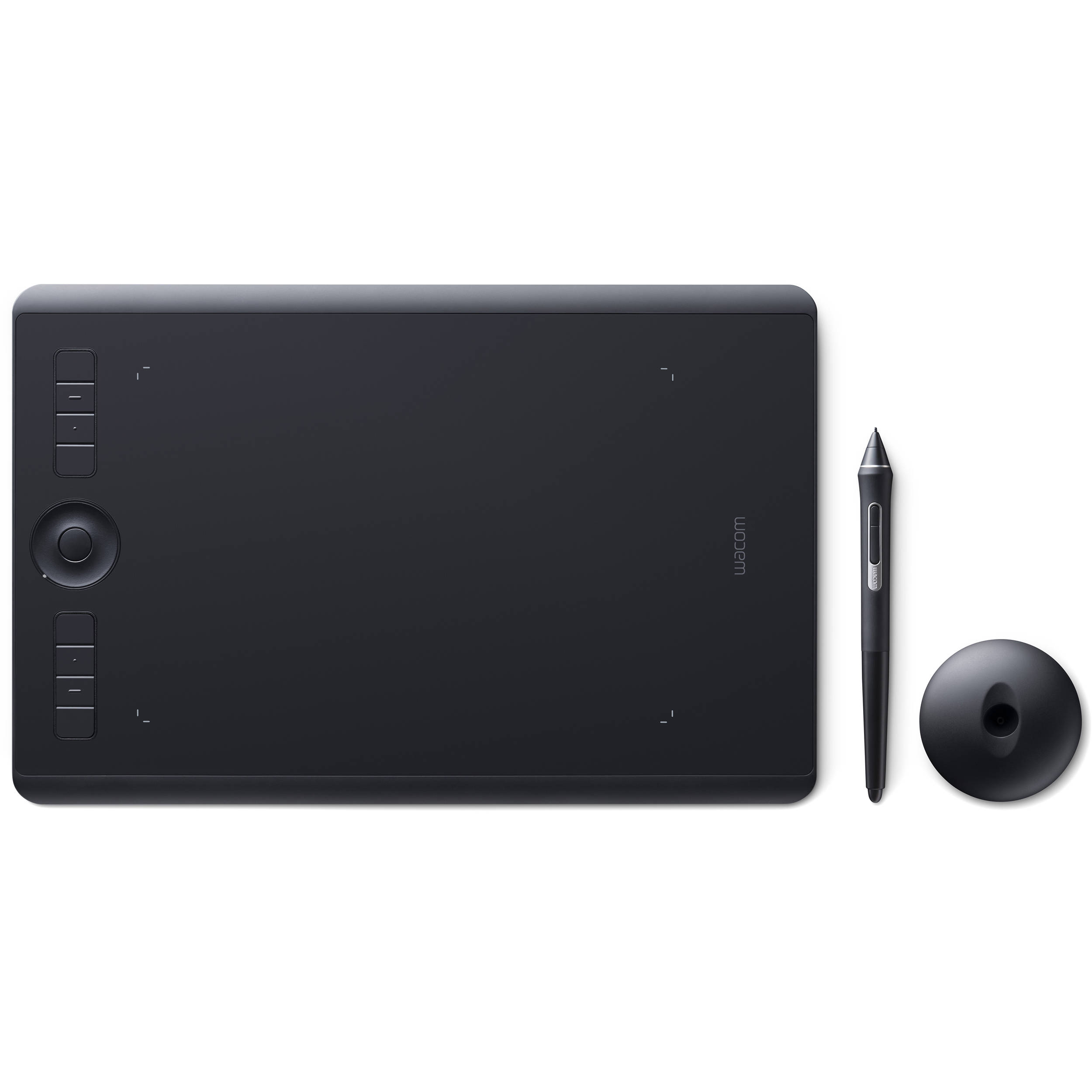 This means you can connect to either type of computer interface and run the same programs.
The tablet can be used in conjunction with the Adobe Creative Cloud Suite as well as various other digital illustration software programs, and its primary functions include graphic design and digital illustration.
The Razor Kiyo Pro USB Camera is a 4K camera with a built-in adaptive light sensor that mounts to the top of your computer. This camera is perfect
The Razor Kiyo Pro USB Camera is capable of shooting up to 60 frames per second and records in 1080 pixel resolution, making it a top of the line web camera.
The fact that it is HDR-Enabled means your streams can contain a full spectrum of vibrant colors when you activate the HDR at 30 frames per a second. This feature ramps up your video’s dynamic range while correcting over and underexposed areas. It practically does your editing work for you.
The Elgato Collapsible Chroma Key Panel provides a background green screen to remove any unwanted background visuals. It filters out the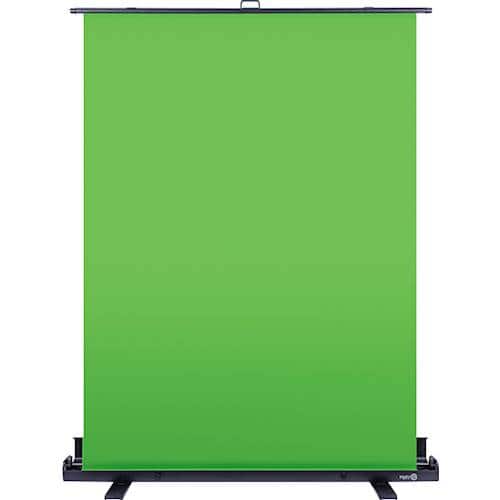 environment you are filming in and replaces it with a blank slate, allowing the user to insert their own immersive backgrounds.
The screen is light adaptive and features a collapsible design that allows you to maneuver the panel into tight spaces and transport it from place to place with ease. The pneumatic frame of the canvas also allows it to be locked into your desired position easily.
The canvas is 100% polyester, and its dimensions when fully expanded are 148 x 180 cm / 58.27 x 70.87 in.


